Seller Guide
How to List Your Product
A step-by-step walkthrough to publishing your software, AI agent, or startup on Coexc.
1
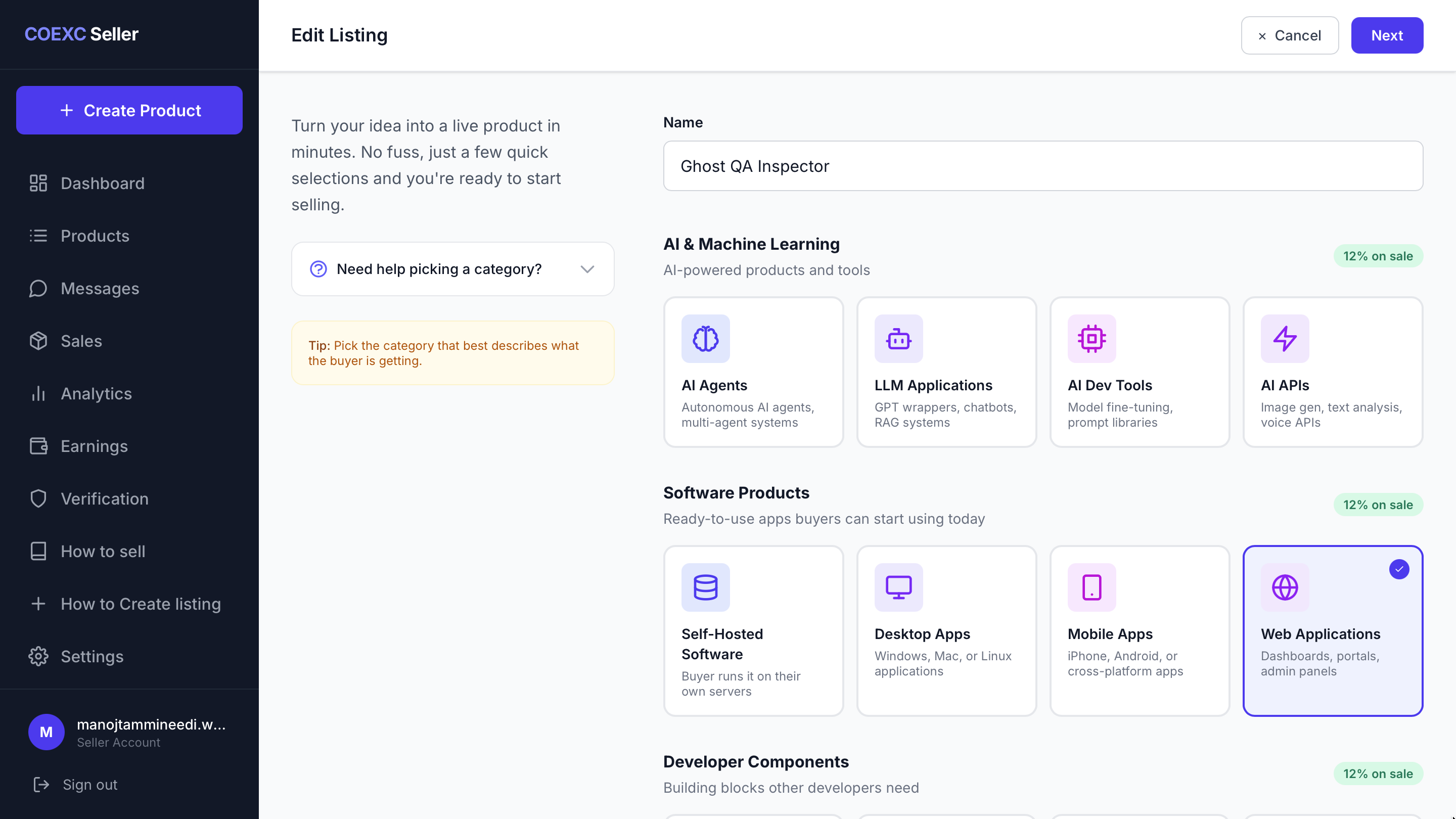
Name & Category
Start by entering your product name and selecting the most relevant category.
2
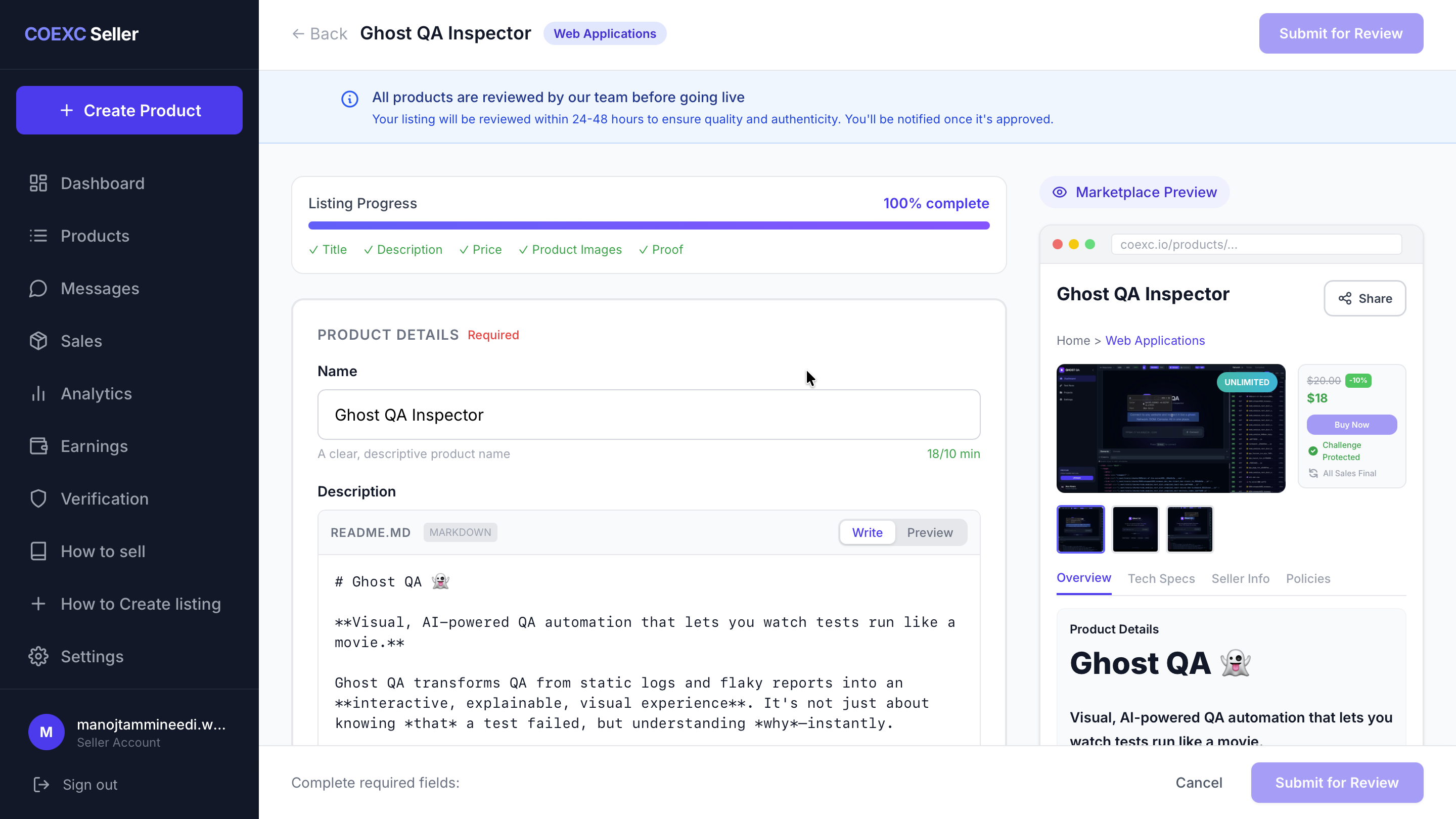
Description & Live Preview
Add a detailed description explaining your product's value proposition. We support Markdown for your readme file. As you type, the Live Preview on the right updates instantly.
- Markdown Support: Use standard markdown syntax for beautiful readme documentation.
- Pricing: Set your asking price clearly.
3
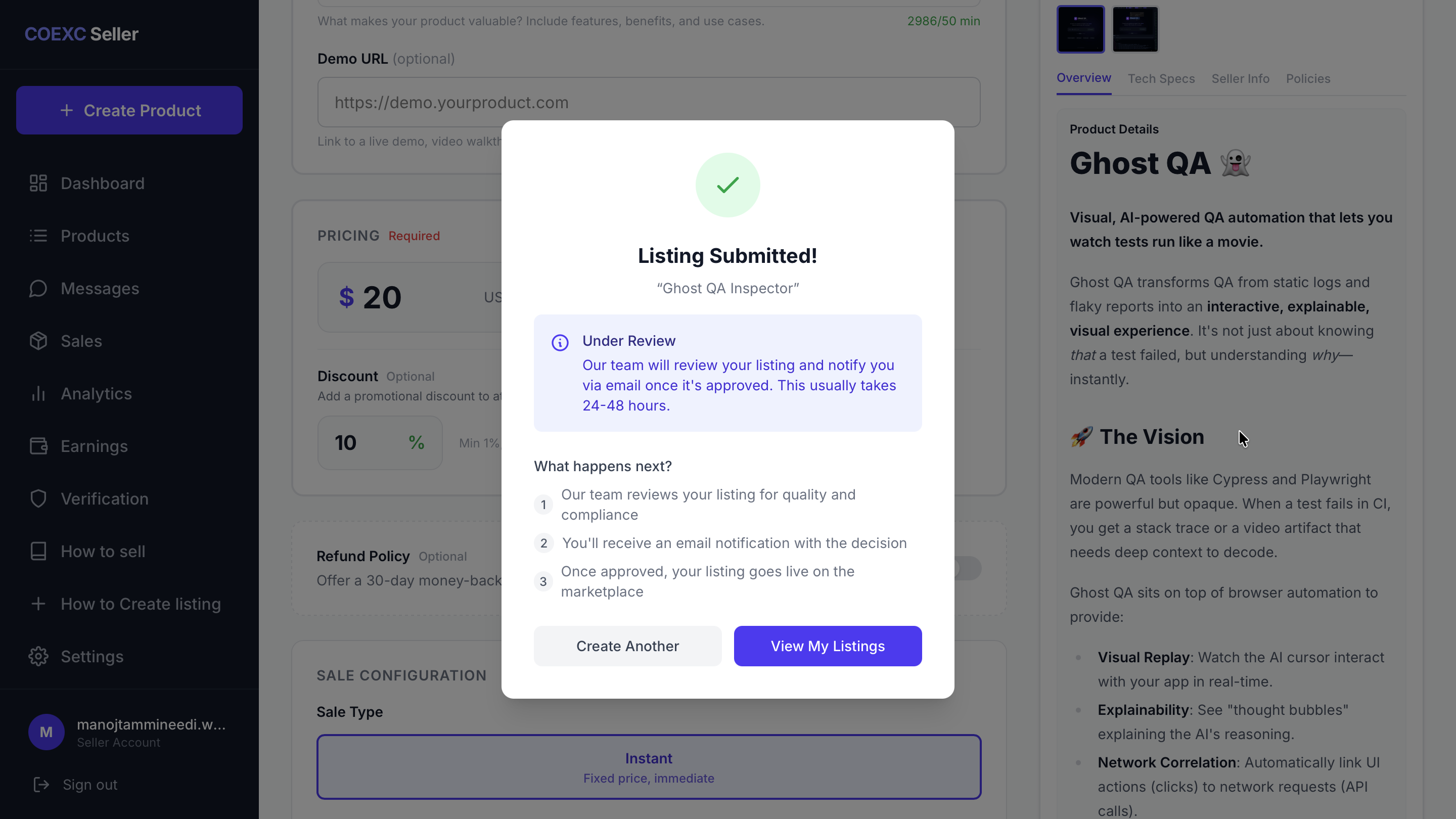
Tech Specs, Proof & Submit
Finalize your listing by adding the Technology Stack (e.g., Python, Next.js) and uploading a cover image/video.
You must also upload Proof of Ownership documents. Once submitted, our team will review your listing within 24-48 hours.
Takes less than 5 minutes to set up